
How to Start Streaming Games on YouTube in India: Your Comprehensive Guide
Dreaming of becoming a YouTube gaming streamer in India? This guide breaks down everything from essential gear and finding your niche to building a community and monetizing your passion. Learn how to navigate the vibrant Indian streaming landscape and turn your gaming hobby into a thriving channel.
Reading this article: 0s
News in 60 words
~150-word AI digest in one read
Thesis, bullets, quote & takeaway — slogan stays "60 words"
(3mo)12 min read 2 0 0
Creator on ContentVerse. Building, writing, and shipping in public.
Full story
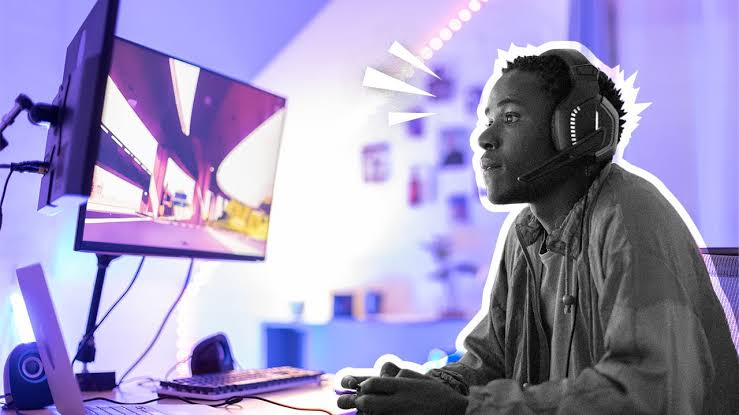
The world of game streaming has exploded globally, and India is no exception. With millions of gamers, a rapidly expanding internet infrastructure, and a burgeoning creator economy, the dream of becoming a successful YouTube game streamer is more attainable than ever. While the glamorous highlights reel of top streamers might suggest overnight success, the reality is built on consistency, community engagement, and a genuine passion for gaming. This comprehensive guide will walk you through the essential steps to kickstart your journey as a game streamer on YouTube in India, from setting up your basic rig to building a loyal audience.
Understanding the Landscape of Game Streaming in India
India's gaming scene is dynamic and diverse, fueled by affordable smartphones and data plans. What started with mobile gaming sensations like PUBG Mobile (now BGMI) and Free Fire has expanded to include a growing PC and console gaming community, with titles like Valorant, Grand Theft Auto V, and even niche indie games finding dedicated fanbases. The audience is young, engaged, and hungry for relatable content in their own languages.
The Indian Gaming Audience
Indian viewers often connect deeply with streamers who share their cultural context, speak regional languages (Hindi, Tamil, Telugu, Malayalam, Bengali, Marathi, etc.), and understand local gaming trends. This creates a unique opportunity for creators to carve out specific niches rather than competing solely on global trends. Understanding your potential audience – their preferred games, viewing habits, and language – is the first critical step.
Popular Games and Trends
While globally popular titles are always a draw, games with strong Indian communities tend to perform exceptionally well. BGMI remains a titan, but Valorant's tactical gameplay has captured a significant PC audience. Mobile esports are huge, and new titles are constantly emerging. Keeping an eye on what's trending and what your chosen community is playing can help inform your content strategy.
The Bare Essentials: Setting Up Your Streaming Gear
You don't need a high-end, professional studio to begin. The core philosophy is to start lean and upgrade as you grow. Focus on quality where it matters most: audio and a stable internet connection.
PC vs. Mobile Streaming: Choosing Your Platform
Many Indian streamers start on mobile, given its accessibility. Mid-range smartphones (₹15,000 - ₹30,000) from brands like Xiaomi, Samsung, or OnePlus can handle streaming mobile games directly using apps like Omlet Arcade or YouTube's built-in Go Live feature. However, for a more professional setup, PC streaming offers greater flexibility and control.
For PC streaming, you'll need:
- Processor (CPU): An Intel Core i5 (9th gen or newer) or AMD Ryzen 5 (3000 series or newer) is a good starting point. These handle gaming and encoding simultaneously reasonably well.
- RAM: 8GB is the absolute minimum, but 16GB DDR4 RAM is highly recommended for smooth multitasking while streaming.
- Graphics Card (GPU): A dedicated GPU is crucial. Entry-level cards like an NVIDIA GTX 1650/1660 or AMD RX 6600/6600 XT can stream most games at decent settings. For higher-end games or resolutions, you'd look at RTX 3050/4060 or RX 7600 and above.
- Storage: An SSD (Solid State Drive) for your operating system and games will drastically improve loading times and overall system responsiveness.
Audio is King: Investing in a Decent Microphone
Viewers are often more forgiving of less-than-perfect video quality than poor audio. A clear, crisp voice makes your content enjoyable and helps build connection. Forget your phone's built-in mic for serious streaming.
- Entry-Level (₹1,000 - ₹3,000): USB microphones like the Maono AU-A04, Boya BY-M1 (a popular lavalier mic for mobile), or basic gaming headsets with good microphones (e.g., HyperX Stinger Core) are excellent starting points.
- Mid-Range (₹3,000 - ₹8,000): Consider dedicated USB mics like the HyperX SoloCast, Blue Yeti Nano, or Maono AU-PM461TR. These offer significantly better sound quality and often come with useful features.
- Headphones: Essential for monitoring your audio and hearing game sounds clearly. Any comfortable over-ear headphones will do.
Visuals and Lighting: Making an Impression
While optional to start, a face cam can significantly boost viewer engagement, allowing them to connect with your personality. Good lighting makes a huge difference, even with a basic webcam.
- Webcam: A 1080p webcam (e.g., Logitech C920, C922) is standard. Many modern smartphones can also be used as high-quality webcams with apps like DroidCam or Iriun Webcam.
- Lighting: Natural light is free and often the best. Position yourself facing a window. For artificial light, a simple ring light (₹800 - ₹2,500) or a softbox can dramatically improve your video quality, making you look vibrant and professional.
Internet Connection: The Backbone of Your Stream
This is non-negotiable. A stable, high-speed internet connection is paramount. For streaming, upload speed is more critical than download speed. Aim for:
- Minimum: 5-10 Mbps upload speed for 720p at 30fps streaming.
- Recommended: 15-25 Mbps upload speed for 1080p at 60fps streaming, allowing for some buffer.
Reliable fibre optic connections are becoming common in Indian metros like Bangalore, Mumbai, Delhi, Hyderabad, and Chennai from ISPs like JioFiber, Airtel Xstream Fiber, and BSNL Bharat Fiber. Check for package deals that offer higher upload speeds. Always use a wired (Ethernet) connection if possible, as Wi-Fi can be less stable.
Software Essentials: Your Digital Toolkit
- Streaming Software: OBS Studio (free, open-source, highly customizable) or Streamlabs OBS (user-friendly, built-in overlays) are the industry standards. They allow you to combine game footage, webcam, mic, alerts, and overlays into a single stream.
- YouTube Studio: Your hub for managing streams, checking analytics, and interacting with your community on YouTube.
Crafting Your Niche: What to Stream and How to Stand Out
In a crowded market, generic content gets lost. Finding your unique angle, or 'niche,' is crucial for attracting and retaining viewers. Think beyond just playing games.
Game Selection: Popularity vs. Passion
- Popular Games: Streaming trending games like BGMI or Valorant can attract viewers searching for those titles. However, the competition is fierce.
- Niche Games: Streaming lesser-known indie games, retro titles, or specific challenges within popular games can help you stand out. You might attract a smaller audience, but they are often more dedicated.
- Indian-Centric Games: Explore games developed in India or games with strong regional appeal. This can resonate deeply with a local audience.
Content Angle: Beyond Just Gameplay
Your personality and how you present the game are what truly differentiate you. Consider these angles:
- Expert Commentary/Guides: Are you exceptionally good at a game? Offer tips, strategies, or build guides.
- Challenge Runs: Can you beat a game with specific restrictions? Or attempt funny, difficult challenges?
- Educational Streams: Teach viewers about game mechanics, lore, or even streaming itself.
- Reaction Streams: React to new game releases, trailers, or community content.
- Community Play: Invite viewers to join you in-game, fostering a strong sense of community.
- Story-Driven Playthroughs: Focus on narrative games, providing thoughtful commentary and engaging with the story.
Language and Personality: Be Authentic
Speaking in Hindi, Tamil, Telugu, or other regional languages can be a massive advantage in India. Many viewers prefer content in their native tongue. More importantly, be yourself. Authenticity resonates. Don't try to imitate famous streamers; develop your own style, humor, and rapport with your audience.
Going Live: Your First YouTube Stream
Before you hit that 'Go Live' button, a little preparation goes a long way to ensure a smooth stream.
Setting Up Your Stream Software (OBS/Streamlabs)
- Scenes: Create different scenes for your stream (e.g., 'Starting Soon,' 'Gameplay,' 'Be Right Back,' 'Ending Stream'). Each scene is a collection of sources.
- Sources: Add your game capture (Game Capture or Window Capture), webcam (Video Capture Device), microphone (Audio Input Capture), and any overlays (Image, Browser Source for alerts).
- Audio Mixer: Ensure your mic, game audio, and desktop audio levels are balanced. Do a mic test to avoid peaking or being too quiet.
YouTube Stream Key and Settings
- Go to YouTube Studio > Go Live. Schedule your stream or create a new live stream.
- Copy your unique Stream Key from the YouTube Live Control Room. Paste this into your streaming software's settings (e.g., OBS Settings > Stream > Service: YouTube / YouTube Gaming > Stream Key).
- Choose your desired resolution and bitrate. Start with 720p at 30fps if your internet is modest, or 1080p at 60fps for better quality if your connection allows. YouTube provides recommended bitrates.
Pre-Stream Checklist: Avoid Last-Minute Panics
- Audio Test: Speak into your mic, check levels. Play game audio to ensure it's coming through.
- Video Test: Check your webcam feed, lighting, and background.
- Internet Check: Run a speed test (e.g., Speedtest.net) to confirm your upload speed is stable.
- Game Ready: Launch your game and ensure it's running smoothly.
- Stream Title & Description: Update these on YouTube Studio to be engaging and keyword-rich.
- Thumbnail: Create an attractive custom thumbnail for your stream.
Interacting During the Stream
Engage with your chat! Acknowledge new viewers, answer questions, and respond to comments. Use a second monitor or a phone to keep the chat window visible. Don't be afraid to ask questions to your audience to spark conversation. If your chat grows, consider having a moderator to help manage it.
Building a Community and Growing Your Channel
Your first 100 loyal viewers are far more valuable than thousands of passive ones. Focus on building genuine connections.
Consistency is Key: Set a Schedule
Decide on a realistic streaming schedule (e.g., 3 times a week) and stick to it. Inform your viewers about your schedule on your channel page and social media. Consistency builds anticipation and helps viewers know when to tune in.
Content Repurposing: Maximizing Your Efforts
Don't let your live streams be your only content. Repurpose:
- YouTube Shorts: Clip out hilarious moments, clutch plays, or insightful tips from your streams and turn them into short-form vertical videos for YouTube Shorts. This is a powerful discovery tool.
- Highlight Videos: Compile the best moments from multiple streams into longer highlight reels for your main channel.
- VODs (Video On Demand): Keep your past streams available as VODs for viewers who missed the live broadcast.
- Social Media Clips: Share short, engaging snippets on Instagram Reels, Twitter, or Discord to drive traffic back to your YouTube channel.
Engaging Your Audience Beyond Live Chat
- Discord Server: Create a Discord server for your community to hang out, discuss games, and connect with you off-stream.
- Polls & Q&A: Use YouTube's community tab to run polls or host Q&A sessions. During streams, dedicate time for viewer questions.
- Viewer Games: Periodically invite viewers to play games with you. This is a fantastic way to build loyalty.
- Giveaways: Small giveaways (e.g., game keys, gift cards) can incentivize engagement and attract new viewers.
Collaborations: Grow Together
Partner with other Indian streamers of similar size. Collaborations introduce your channel to a new audience and provide fresh content ideas. Reach out respectfully and suggest mutual benefit.
Social Media Presence
Maintain an active presence on platforms where your audience hangs out. Instagram for visual updates, Twitter for quick thoughts and announcements, and Discord for deeper community engagement are good starting points.
Monetization Avenues for Indian Streamers
Once you've built a consistent audience, you can start exploring ways to monetize your passion. This is where your hobby can turn into a sustainable career.
YouTube Partner Program (YPP)
To be eligible for YPP, you need:
- 1,000 subscribers
- 4,000 valid public watch hours in the past 12 months OR 10 million valid public Shorts views in the past 90 days.
- Adherence to all YouTube monetization policies.
Once accepted, you can earn from:
- Ad Revenue: Pre-roll, mid-roll, and post-roll ads on your videos and live streams.
- Channel Memberships: Viewers pay a monthly fee for exclusive perks (badges, custom emojis, member-only content).
- Super Chat & Super Stickers: Viewers pay to highlight their messages in chat or send animated stickers during live streams and Premieres.
- Merchandise Shelf: Sell branded merchandise directly from your channel.
Brand Deals and Sponsorships
As your channel grows, brands (especially gaming peripheral companies, game developers, or even local Indian tech brands) might approach you for sponsorships. This could involve playing their game, reviewing a product, or integrating their brand into your streams. Be transparent with your audience about sponsored content.
Donations and Tipping
Even before YPP, you can set up third-party donation links (e.g., PayPal, Instamojo, or platforms like Streamlabs/Streamelements tips) for viewers who wish to support you directly. ContentVerse also provides tools for creators to receive tips from their audience, offering a direct way for your community to show appreciation for your work.
Affiliate Marketing
Promote products you genuinely use and recommend (e.g., your gaming gear, software). Use affiliate links (e.g., Amazon India Associates) and earn a small commission on sales made through your link. Again, transparency is key.
FAQ: Common Questions for Aspiring Indian Streamers
Q1: How much internet speed do I really need for streaming in India?
A1: For a decent 720p 30fps stream, aim for a consistent upload speed of at least 5-10 Mbps. If you're targeting 1080p 60fps, you'll ideally want 15-25 Mbps upload. Always prioritize a stable wired connection over Wi-Fi for streaming reliability, especially with varying infrastructure in different Indian cities.
Q2: Is it better to stream in Hindi or English in India?
A2: This largely depends on your target audience and the game. While English has a broad reach, streaming in Hindi or other regional Indian languages (like Tamil, Telugu, Malayalam) can help you connect more deeply with a local audience and carve out a less competitive niche. Many successful Indian streamers use a mix of Hindi and English, often called 'Hinglish,' or focus entirely on their regional language.
Q3: What is a realistic timeframe to start earning money from streaming on YouTube in India?
A3: Earning a substantial income from streaming takes time and dedication. It's not an overnight process. Most streamers take anywhere from 6 months to 2-3 years to build a large enough audience to qualify for the YouTube Partner Program and start seeing significant ad revenue or brand deals. Focus on consistent content and community building first; monetization will follow organically.
Q4: Do I need a professional gaming PC to start streaming?
A4: Not necessarily. You can start streaming mobile games directly from a mid-range smartphone. For PC gaming, an entry-level to mid-range gaming PC (Intel i5/Ryzen 5, 8-16GB RAM, GTX 1650/RX 6600) is sufficient for streaming most games at playable settings. The key is to optimize your game settings and stream quality to match your hardware capabilities, and upgrade gradually as your channel grows.
Conclusion
Starting a game streaming channel on YouTube in India is an exciting and rewarding endeavor. It requires more than just gaming skills; it demands consistency, technical know-how, and a genuine desire to connect with an audience. Begin with the minimum viable setup, focus on creating authentic content that resonates with your chosen niche, and prioritize building a strong, engaged community. The journey might be challenging, but with passion and persistence, your dream of becoming a successful Indian game streamer can certainly become a reality. Good luck, have fun, and happy streaming!
Support creators
If you found this guide helpful, consider supporting the writers and creators on ContentVerse. Your tips help us continue producing valuable content like this.
Was this helpful?
Your feedback helps us improve content for everyone.
Liked this piece?
Tip Dhananjay for the work
100% goes to the creator. Send a one-time tip in rupees and back the writing you love.
Dhananjay Singh
3 followers · 84 blogs
Published 17 Jun 2026 · Updated 23 Aug 2026
Creator on ContentVerse. Building, writing, and shipping in public.
Reviewed by the ContentVerse India editorial team. Educational pages are not personalised advice.
View full profile3 followers
Discussion